

ClusterVisor feature
Statistics & monitoring
ClusterVisor makes it easy to keep track of cluster health, which is essential to its proper operation.
Getting statistics from nodes
Stats are a core feature of ClusterVisor: any piece of changing data on the devices in your cluster. One job of cv-clientd, ClusterVisor’s client daemon that runs on each node, is to gather statistics and send them to your ClusterVisor appliance or server. Stats are driven by a plugin architecture, collecting from these domains:
- CPU: usage, load and frequency
- Disks: usage and read/write I/O rates
- Firmware: BIOS and IPMI firmware versions
- InfiniBand: InfiniBand and Omni-Path performance and error counters, and I/O throughput
- IPMI temperature: every temperature sensor in the node
- IPMI fans: RPM of each fan
- IPMI voltages: power supply voltage readings
- MD (software RAID): status of software RAID arrays
- MegaRAID: status of Broadcom/LSI hardware RAID arrays
- Memory: memory and swap usage
- Network: statistics for each Ethernet interface
- NFS: status of NFS mounts
- NTP: time details and whether the node is synchronized with your time server
- NVIDIA: detailed usage, power and memory statistics for each GPU
- Power: node-level power consumption
- System: kernel versions, process counts and uptime
- ZFS: status of ZFS zpools
Most nodes in your cluster will have more than 300 unique stats collected from them.
Getting statistics from devices
For devices that can’t run cv-clientd, statistics can be gathered via SNMP. This is most commonly used for network infrastructure. ClusterVisor currently supports:
- Power distribution units (PDUs): APC, Geist/Vertiv and ServerTech
- Uninterruptible power supplies (UPSs): APC
- Air conditioners: APC in-row
- Switches: Netgear
The list is always growing, and support for new devices can easily be added. Contact us for details.
Custom statistics
ClusterVisor already collects the most common stats, but if one you need isn’t available, you can add it. Simple command line tools let you inject custom stats, or you can write your own stat plugin.
Statistics history and retention
ClusterVisor collects stats every 30 seconds. With a large number of nodes, the disk space needed would quickly grow unmanageable, so ClusterVisor uses a time-series storage approach. The default retention periods are:
- 30-second interval: kept for 2 weeks
- 5-minute interval: kept for 2 months
- 15-minute interval: kept for 3 months
- 1-hour interval: kept for 5 years
Viewing your statistics
Stats can be viewed in the ClusterVisor web interface, used on any number of customizable dashboards, or queried ad hoc. They can also be shown as a heat map on rack diagrams to pinpoint temperature hotspots and other environmental problems in the data center.
Stats can also be correlated with Slurm jobs, so you can see what was happening on a node during a job run, and answer questions like “why did my job run slowly?”
Monitoring rules, alerts and actions
Any stat can be used in a monitoring rule. ClusterVisor’s rules engine lets administrators define what “not behaving properly” means for their cluster. Some example rules:
- A node’s temperature is above a threshold
- A group of nodes isn’t all running the same firmware version
- An InfiniBand interface is down or running at the wrong speed
- A RAID array has lost a drive
- A ZFS zpool is degraded
- And many more
Monitoring rules can fire any number of actions on failure, from a simple email to an administrator to any script. With the script engine, you can easily shut down nodes, drain them in Slurm, clean up files and more.
A full history of rule failures, with timelines, is available. When a rule fails, a point-in-time snapshot of all stats is saved too, so you can go back and see exactly what was happening on a node when the failure occurred.
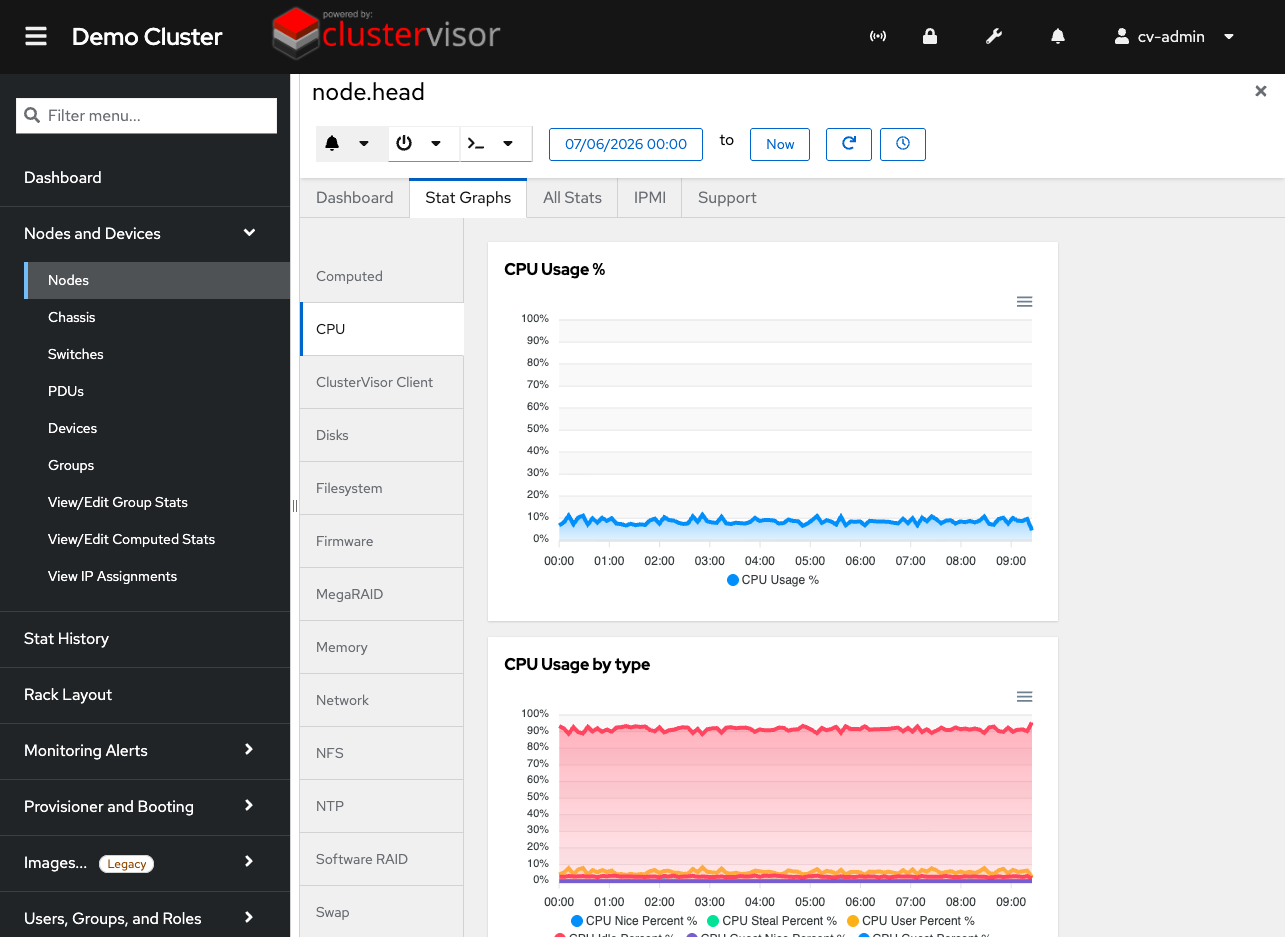
Click the screenshot to enlarge
See it on your cluster.
We’ll walk you through ClusterVisor with one of our HPC/AI engineers.
Request your demoExplore more features.
Monitoring, provisioning, JobVisor, LogVisor AI and more: twelve tools in one platform.
All ClusterVisor features
Engineering the future of HPC and AI
info@advancedclustering.com(866) 802-82223148 Roanoke Road, Kansas City, MO 64111