

ClusterVisor feature
Slurm integration
ClusterVisor pulls data from your Slurm installation straight into the web GUI and statistics system.
With Slurm integration active, you can easily see the jobs running on your system, search through job history, and look at detailed records for each job.
Integration with statistics
The job details page shows every ClusterVisor statistic gathered from the nodes running the job, for the job’s runtime. So you can correlate CPU usage, GPU usage, memory usage, CPU temperature, network I/O and any other stat ClusterVisor collects with your users’ Slurm jobs.
Correlating node statistics with job details helps administrators answer important questions like how much memory users need for their jobs, and helps diagnose support requests like “my job is running slowly.”
How it works
- Works with a recent version of Slurm and the Slurm REST daemon
- No need to set up processes to ingest job data into ClusterVisor
- No data duplication: running jobs and job history are queried directly from Slurm via the REST daemon
- Full query ability for all jobs, even ones from before ClusterVisor was running
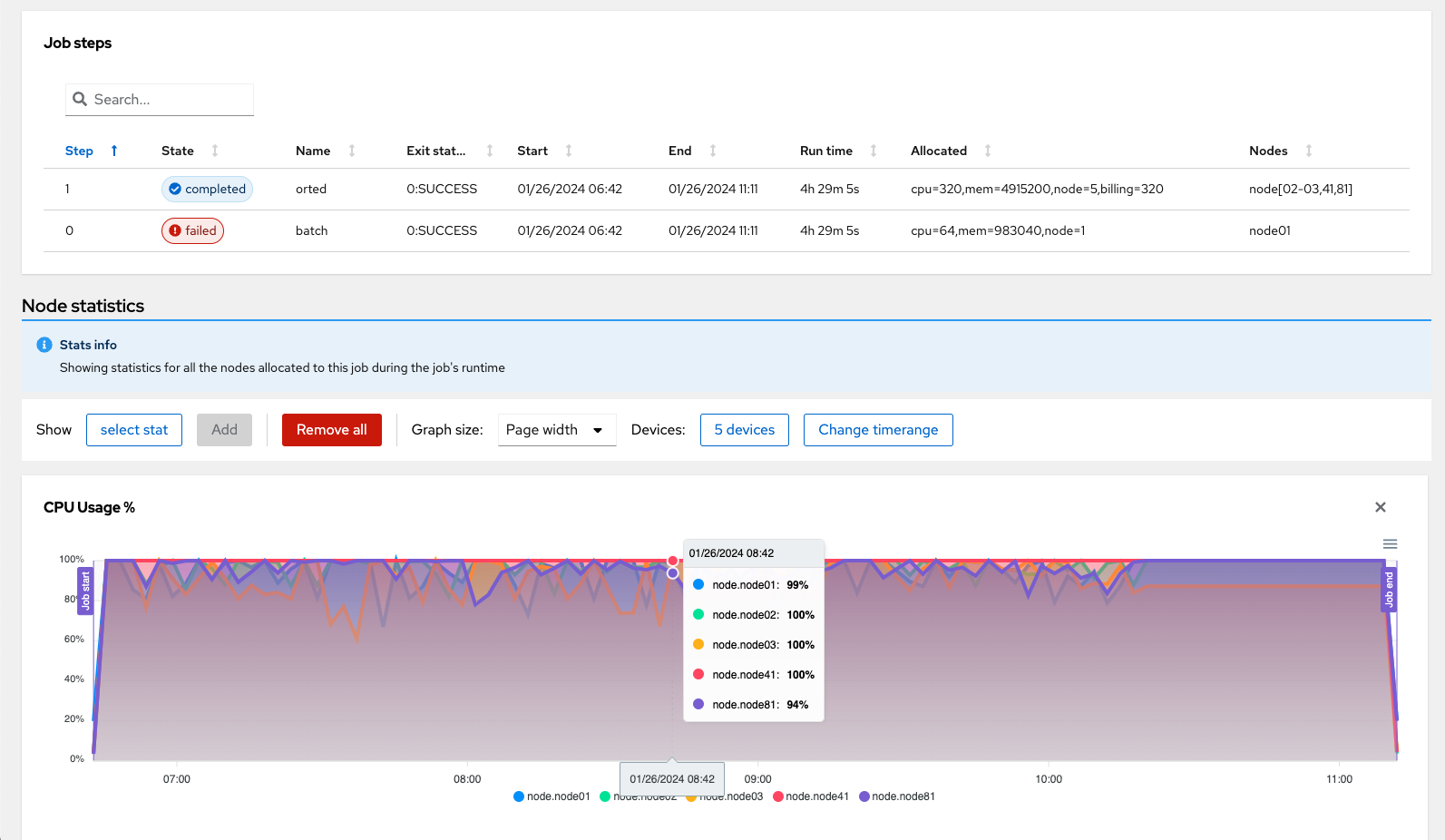
Click the screenshot to enlarge
See it on your cluster.
We’ll walk you through ClusterVisor with one of our HPC/AI engineers.
Request your demoExplore more features.
Monitoring, provisioning, JobVisor, LogVisor AI and more: twelve tools in one platform.
All ClusterVisor features
Engineering the future of HPC and AI
info@advancedclustering.com(866) 802-82223148 Roanoke Road, Kansas City, MO 64111