

ClusterVisor feature
Node control & management
ClusterVisor has a full suite of tools to help manage and maintain your cluster nodes.
Node control and management
Not only does ClusterVisor help with the configuration management of all your cluster nodes, it has a full suite of tools to help manage and maintain them.
Via the suite of command line tools, you can do things like execute commands in parallel across nodes, distribute files, change how they boot, and more. These command line tools let you specify individual nodes, ranges of nodes using Slurm syntax, user-defined groups, and even rack-by-rack location.
The ClusterVisor web UI provides the same functionality and more, like the ability to view graphical consoles, and GUI file management.
Power control
ClusterVisor will set up, configure and manage a node’s IPMI baseboard management controller (BMC). This allows full power management of nodes, without having to remember IPMI IPs, usernames or passwords. From the command line, a simple cv-power --node=node01 off can be issued to turn a node off. The web UI also has full power control features available, via the operating system or IPMI.
Execution of commands
A common task system administrators face is the need to run Linux commands across the nodes in a cluster. ClusterVisor provides a couple of easy ways to do this. If you prefer the command line, the easy-to-use cv-exec command lets you run commands on a single node, or on as many nodes in parallel as you wish. The web UI also exposes this functionality.
Console
For system administrators, ClusterVisor provides an easy way to access the console of a node while it’s booting. This gives you BIOS-level access, and lets you watch all the kernel boot messages as the node boots, which can be helpful for diagnosing problematic nodes.
This is accomplished via ClusterVisor’s IPMI management, using serial-over-LAN support on the nodes. Just like power control, you can issue a simple command to connect to the console, for example cv-console --node=node01. The web GUI can also provide this console-level access if desired.
Web GUI interactive terminals
The ClusterVisor web GUI can provide easy interactive terminals for nodes and other devices. There are three main types of terminals that ClusterVisor can provide.
Command line via web-based SSH
Sometimes you don’t have easy access to an SSH client, but you can use a web browser. The ClusterVisor web GUI can provide a full SSH client on any node or device in your cluster. Through role-based access control, you can even grant web-based SSH access to your users, and choose which nodes they can access. For example, you may wish to provide SSH access only to your login nodes via the web GUI.
X11 GUI desktop
While the command line is great, sometimes a GUI can really help. ClusterVisor can spawn a desktop session on nodes in your cluster and deliver that display back to your browser. This provides a complete desktop session without any special software on your client device, eliminating the need for VNC clients, port forwarding and so on. As with the web-based SSH terminal, role-based access control determines which users can access the GUI on which nodes.
Web pages via embedded browser
Some devices in your cluster (like PDUs, UPSs and storage controllers) have web-based management tools. With most cluster network setups, these devices are on the private cluster network, which makes reaching their management GUIs from a desktop or laptop difficult. SSH port forwarding or VPNs can help, but ClusterVisor provides a simpler solution.
In ClusterVisor, you can specify the URL of a device’s management GUI. Once it’s entered, you can just click the device and open the GUI. An instance of the Firefox web browser is spawned on the ClusterVisor appliance server, then delivered back to you using the same technology as the X11 GUI desktops. That way you can log in and manage these devices without any extra setup or configuration on your client device.
File manager
For less experienced users, managing files on a Linux system can be daunting. To help, ClusterVisor provides a full web-based file manager that lets users upload and download files from their desktop, and copy, rename and delete files. As an administrator, you can use role-based access control to decide which servers and paths to expose to which users. For example, you may wish to let users view only their home directory, or a /scratch directory on your storage server.
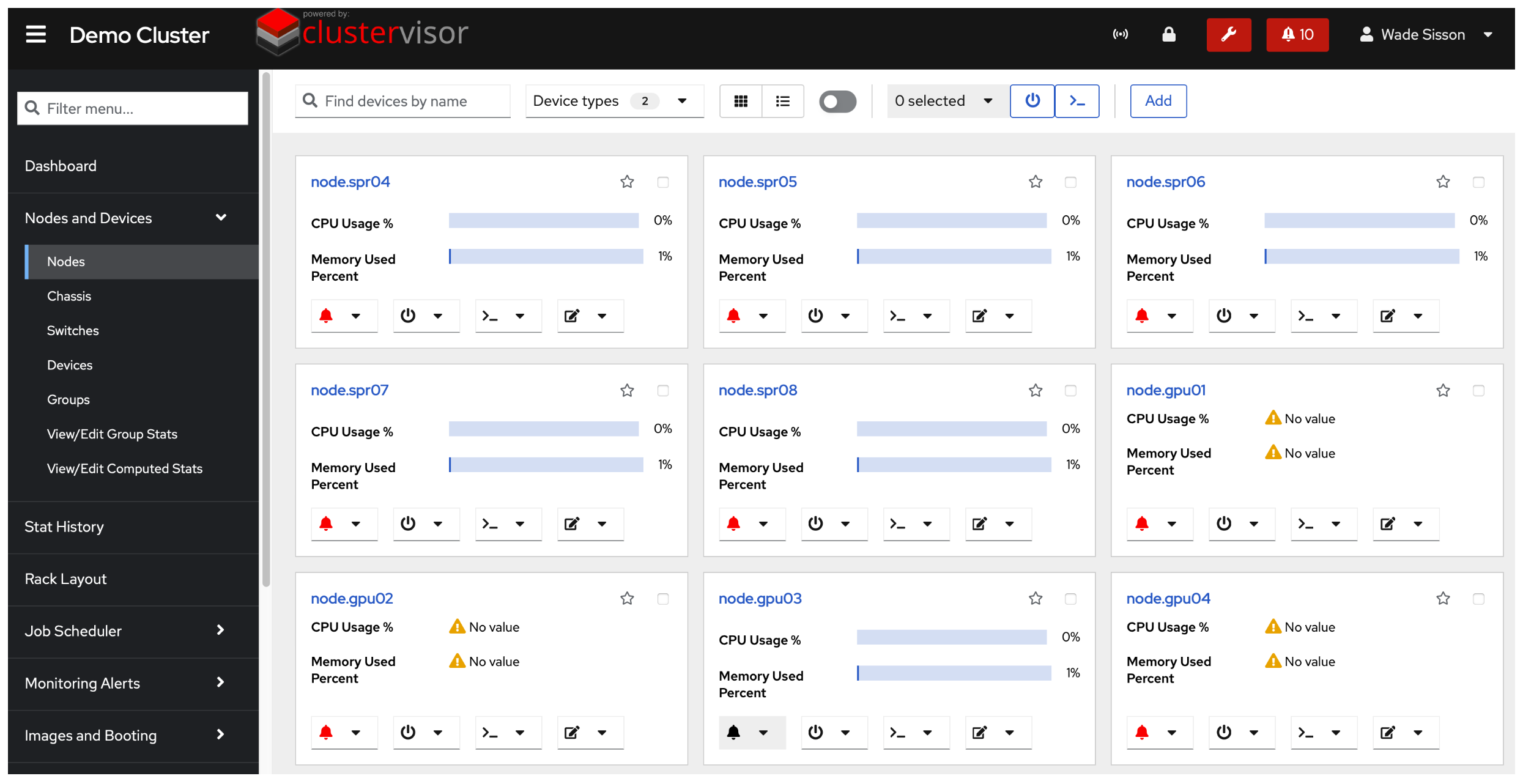
Click the screenshot to enlarge
See it on your cluster.
We’ll walk you through ClusterVisor with one of our HPC/AI engineers.
Request your demoExplore more features.
Monitoring, provisioning, JobVisor, LogVisor AI and more: twelve tools in one platform.
All ClusterVisor features
Engineering the future of HPC and AI
info@advancedclustering.com(866) 802-82223148 Roanoke Road, Kansas City, MO 64111