

ClusterVisor feature
JobVisor
Simplifying cluster access: a web interface that lets users run HPC and AI work without learning Slurm.
Support for end users
JobVisor provides an intuitive web-based interface that lets users submit jobs, launch interactive applications, monitor workloads and collaborate with colleagues, without needing extensive knowledge of Slurm or command-line tools.
How JobVisor helps
JobVisor allows users to:
- Submit batch jobs through simple web forms
- Launch interactive desktop sessions
- Run GUI-based HPC applications
- Monitor job progress and resource utilization
- View historical job performance and efficiency metrics
- Share running jobs with collaborators
- Estimate queue wait times before submitting jobs
All workloads continue to run through the cluster scheduler, so administrators keep full control over resource allocation and policy enforcement.
Administrator-controlled templates
At the core of JobVisor is a powerful template system that lets administrators create standardized workflows for users. Using a visual template editor, administrators can:
- Define job templates with custom names, icons and tags
- Restrict access based on user roles and permissions
- Control which job parameters users can modify
- Set minimum and maximum values for resources such as CPUs, memory and runtime
- Automatically generate Slurm directives and submission scripts
- Create simple form-based interfaces tailored to specific applications
Templates use Jinja-based scripting and support point-and-click insertion of Slurm variables, making it easier than ever to create sophisticated workflows without extensive scripting knowledge.
Intelligent job insights
JobVisor includes several features designed to help users make better scheduling decisions and improve cluster utilization.
Before submitting a job, users can request an estimated queue start time and projected completion time based on current cluster conditions. This gives greater visibility into scheduling and helps users plan workloads more effectively.
Once jobs are complete, users can review historical performance information, including:
- CPU efficiency
- Memory efficiency
- Time efficiency
- Resource requests versus actual utilization
These insights help users optimize future workloads and improve overall cluster efficiency.
Collaboration and interactive computing
For interactive workloads, users can launch desktop sessions and GUI-based applications directly from the interface. Multiple versions of an application can be made available, so users can choose the environment that best fits their needs. Interactive jobs can be shared with colleagues, with a choice of read-only access or the ability to interact with the running GUI environment.
Cluster visibility for everyone
In addition to job management, JobVisor gives users visibility into overall cluster health and utilization. Users can view current allocations, available resources and overall cluster status through an easy-to-understand dashboard.
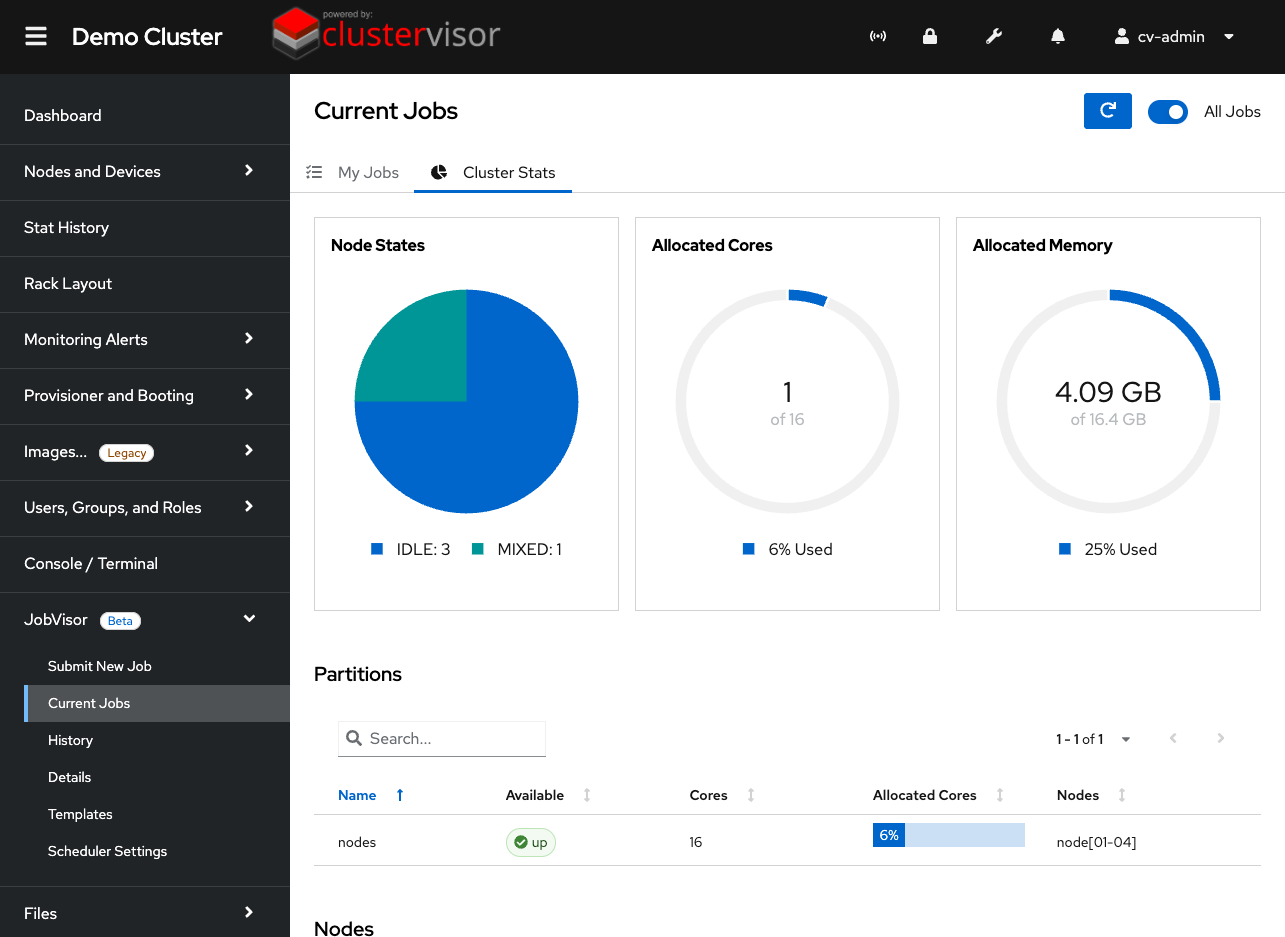
Click the screenshot to enlarge
See it on your cluster.
We’ll walk you through ClusterVisor with one of our HPC/AI engineers.
Request your demoExplore more features.
Monitoring, provisioning, JobVisor, LogVisor AI and more: twelve tools in one platform.
All ClusterVisor features
Engineering the future of HPC and AI
info@advancedclustering.com(866) 802-82223148 Roanoke Road, Kansas City, MO 64111