

Preview · Coming Q1 2027
ClusterVisor 3.x is coming.
Our biggest update yet: a new web interface, safer cluster builds, with new integrated tools for Slurm, BeeGFS and fabrics.
Included for customers with an active ClusterVisor license.
SC26 · November 16–19 · Chicago
See ClusterVisor 3.x live at SC26.
Sit down with our engineers at the Advanced Clustering Technologies booth, 4523, for a hands-on demo on a real cluster. Save your spot, or sign up and we’ll keep you posted as launch nears.
You’re signed up. We’ll email you to confirm your demo slot, and with ClusterVisor 3.x news as launch nears.
Something went wrong sending your sign-up. Please try again, or email info@advancedclustering.com.
The one-minute version
What’s coming in ClusterVisor 3.x
A brand-new web interface
A modern app with dashboards, search, rack and cabling diagrams, consoles and files, all in one place.
Every cluster built the same way
Software installed from tested recipes instead of by hand, so the tenth cluster matches the first.
Safer updates
Changes are tried on a copy, checked, and rolled out when you’re ready, often without a reboot.
Software stacks
Slurm, BeeGFS storage and the InfiniBand/OmniPath network, each set up and managed from one place in the web interface.
Works without internet
Secure and air-gapped sites can install and update the whole stack with no internet connection, on Rocky Linux and AlmaLinux. Air-gapped RHEL needs your own Red Hat Satellite server.
Ready-made software, tested hardware
Slurm and MPI prebuilt and signed by Advanced Clustering; Nine Lives burns in every node.
Documented, inside and out
An administrator’s manual of more than 800 pages, and help for every page of the web interface, built in.
A new web interface
Rebuilt from the ground up as its own app.
ClusterVisor 3.x’s web interface is no longer inside Cockpit. It’s a standalone app with its own sign-in, light and dark themes, and everything an administrator needs in one place.
Its own sign-in and themes
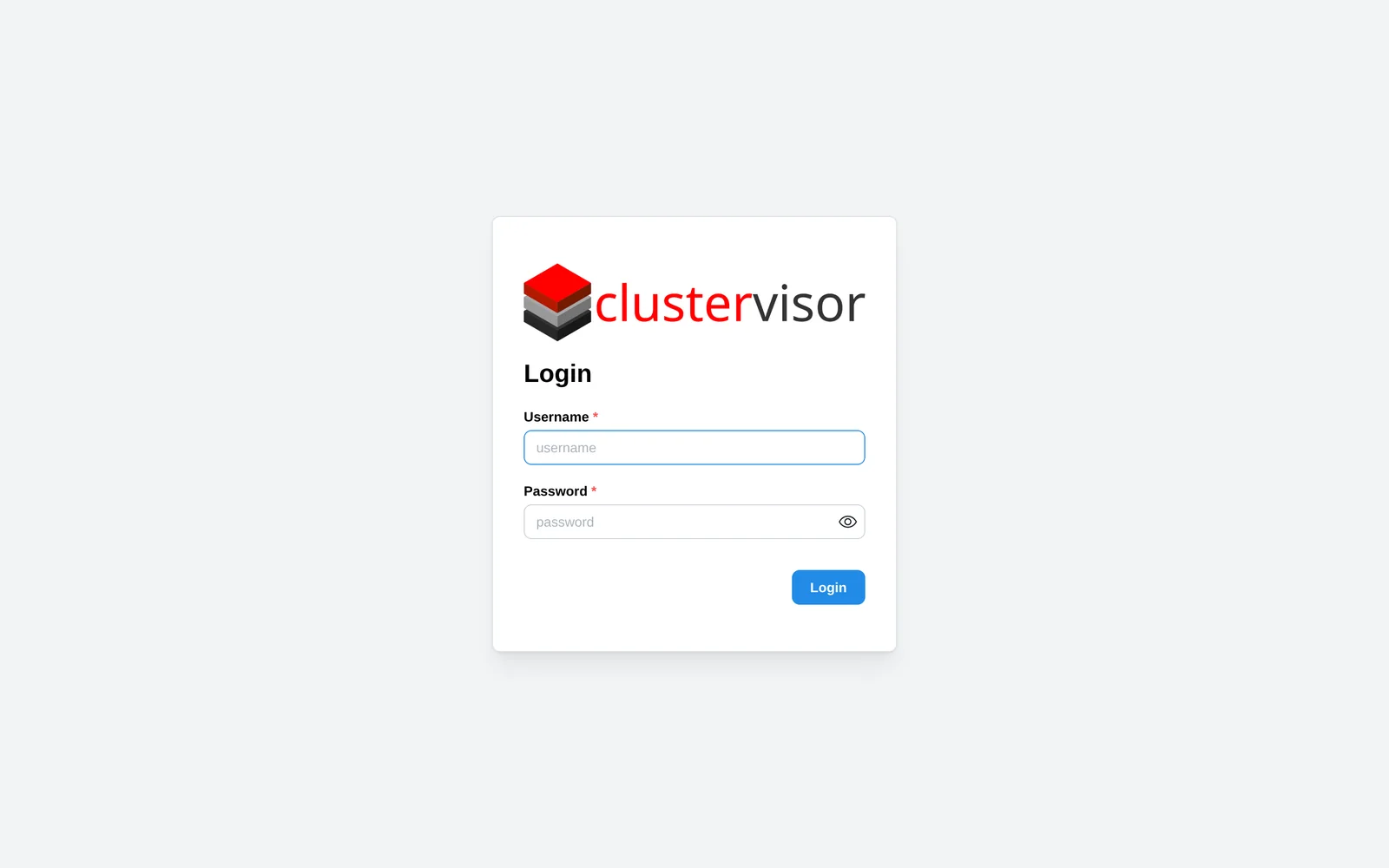
A branded sign-in page, and light and dark themes to suit your preference.
Find anything with Ctrl+K
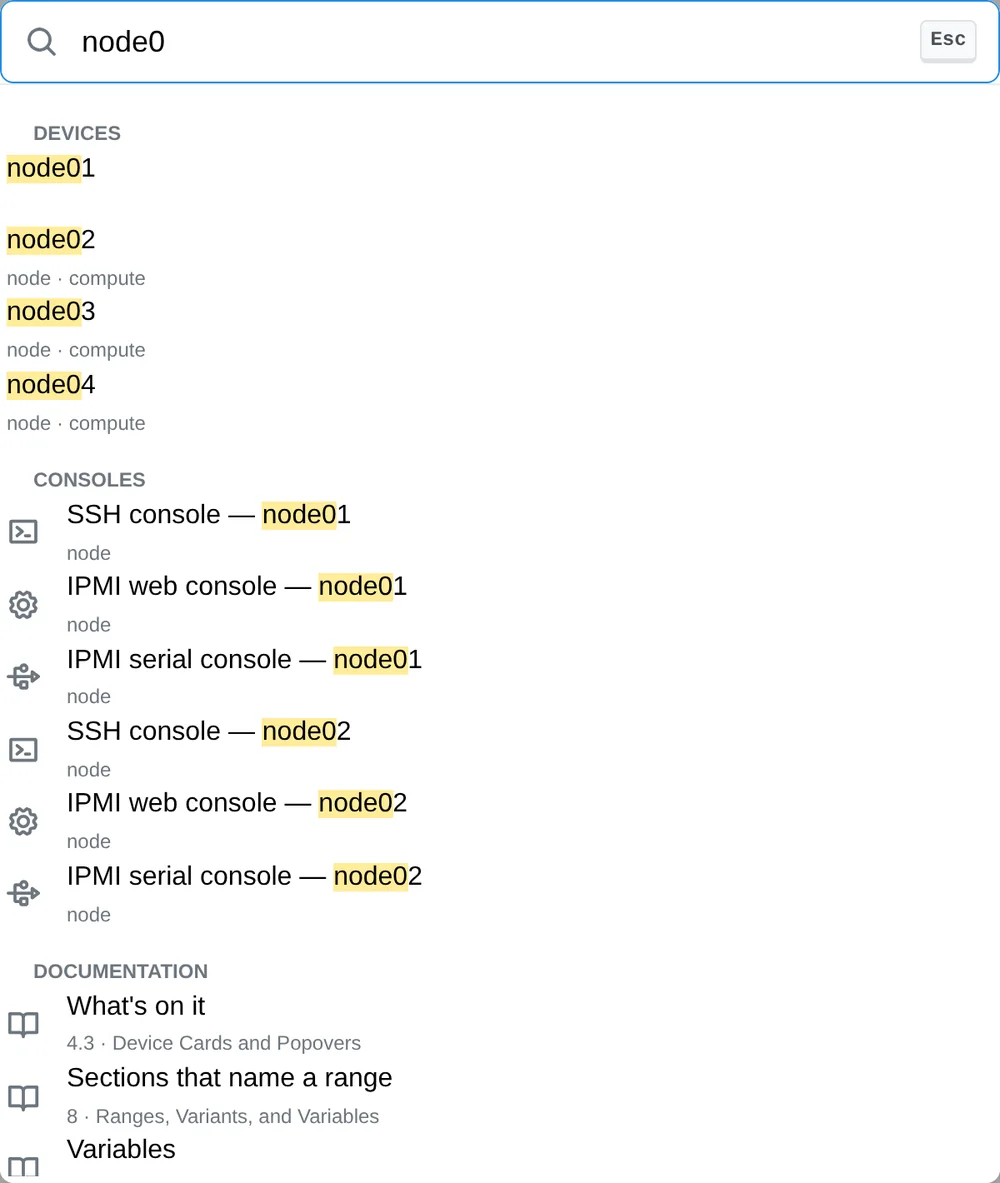
Devices, consoles, dashboards, settings and the manual, from one search box.
Dashboards, rebuilt
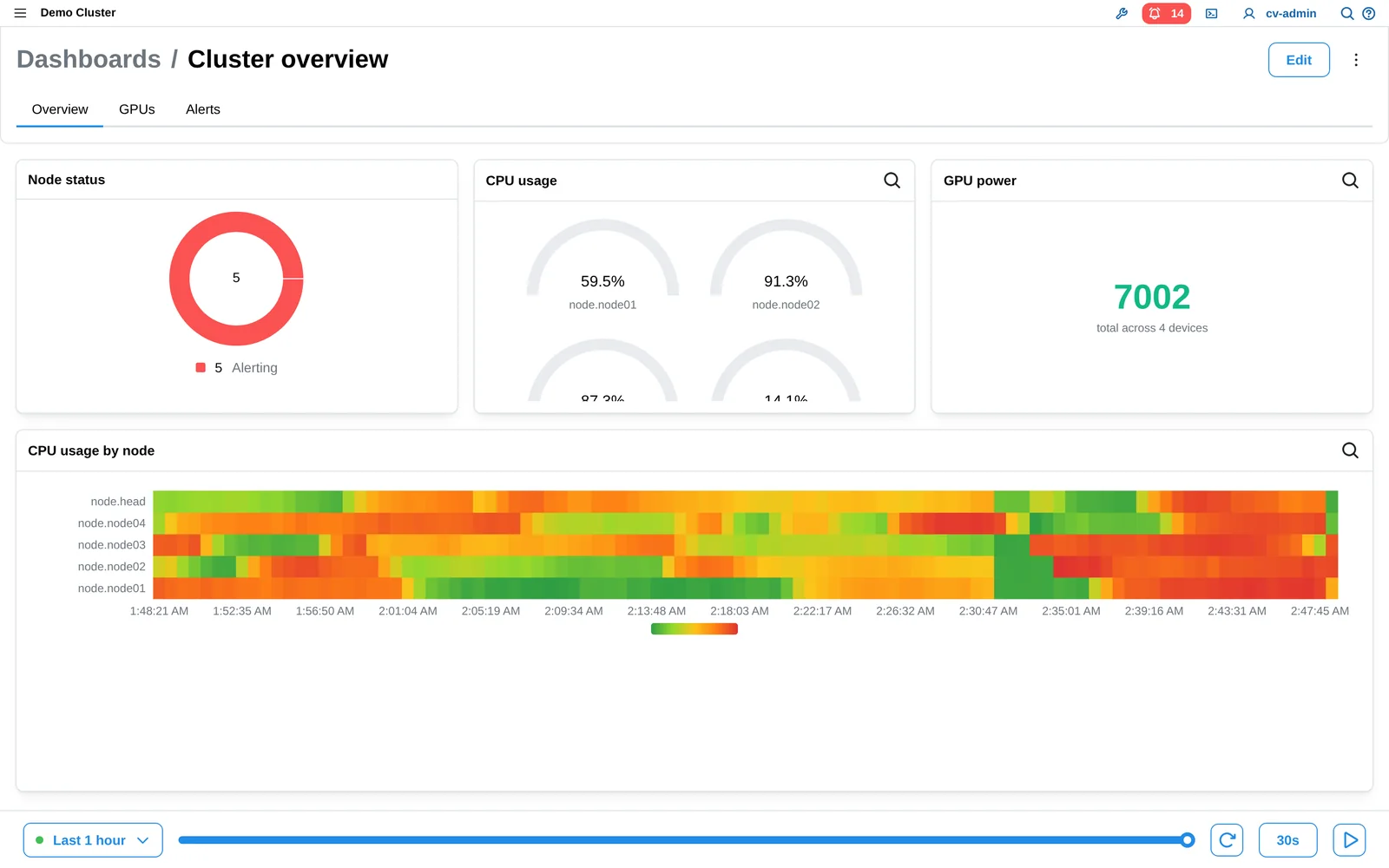
Drag-and-drop layouts with tabs: graphs, gauges, heatmaps, rack views and live alerts. A one time slider drives every widget, and you can share with users by role.
What happened on Tuesday?
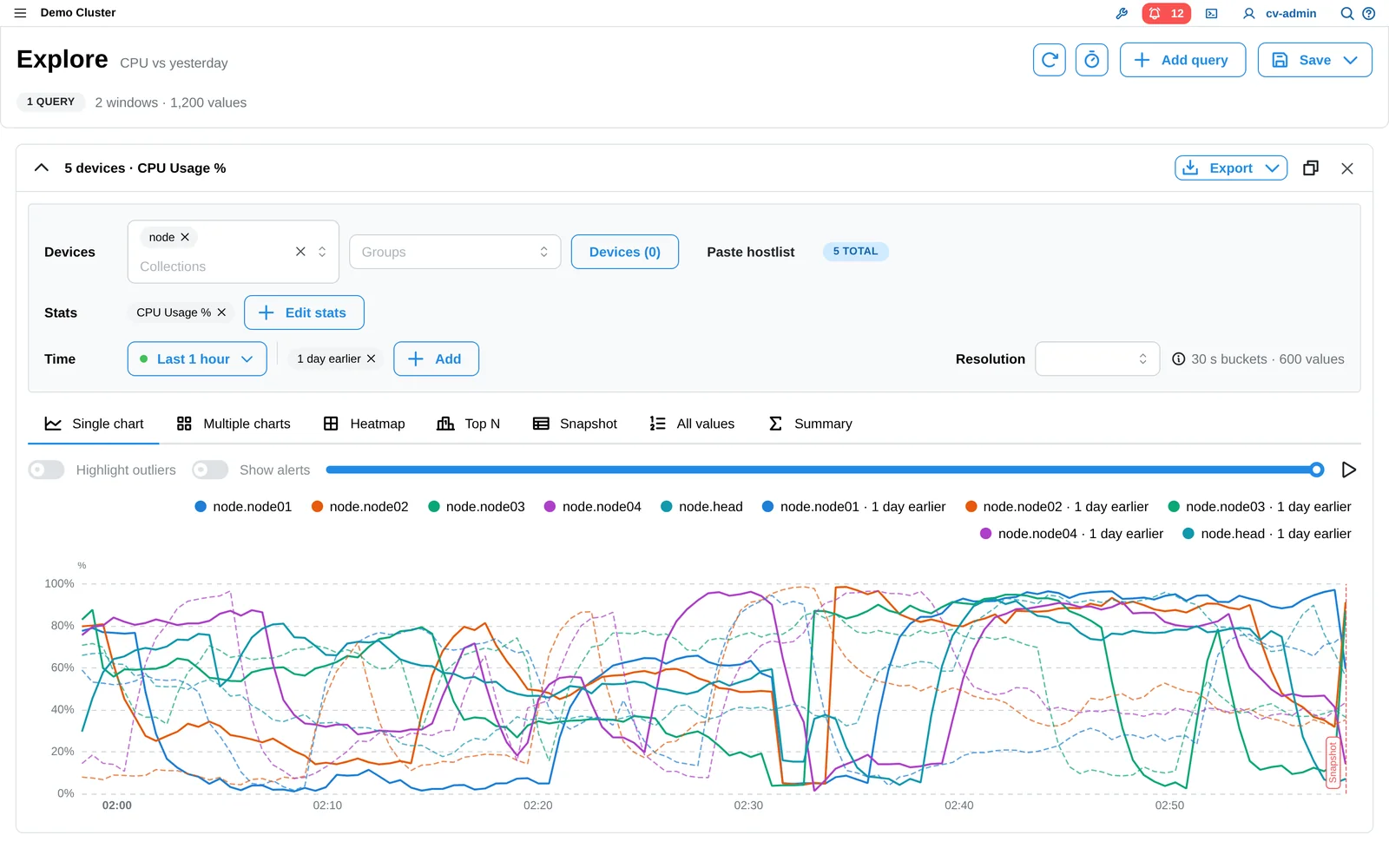
The Stat Explorer compares today with yesterday or last week on one chart, in seven different chart views of the same data.
See the hardware
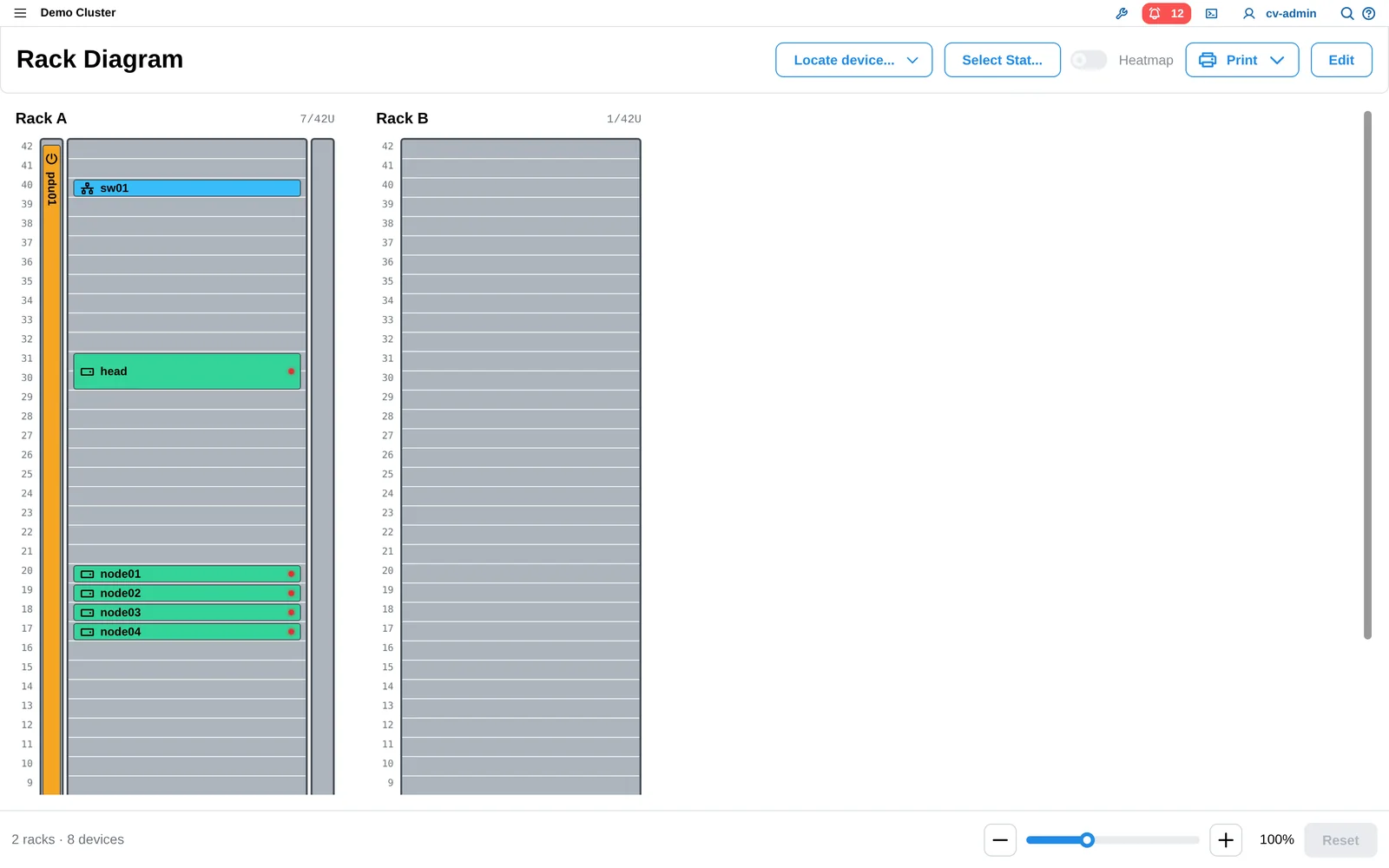
Rack diagrams colored by any live stat, so hot spots and problem nodes stand out.
Cabling diagrams
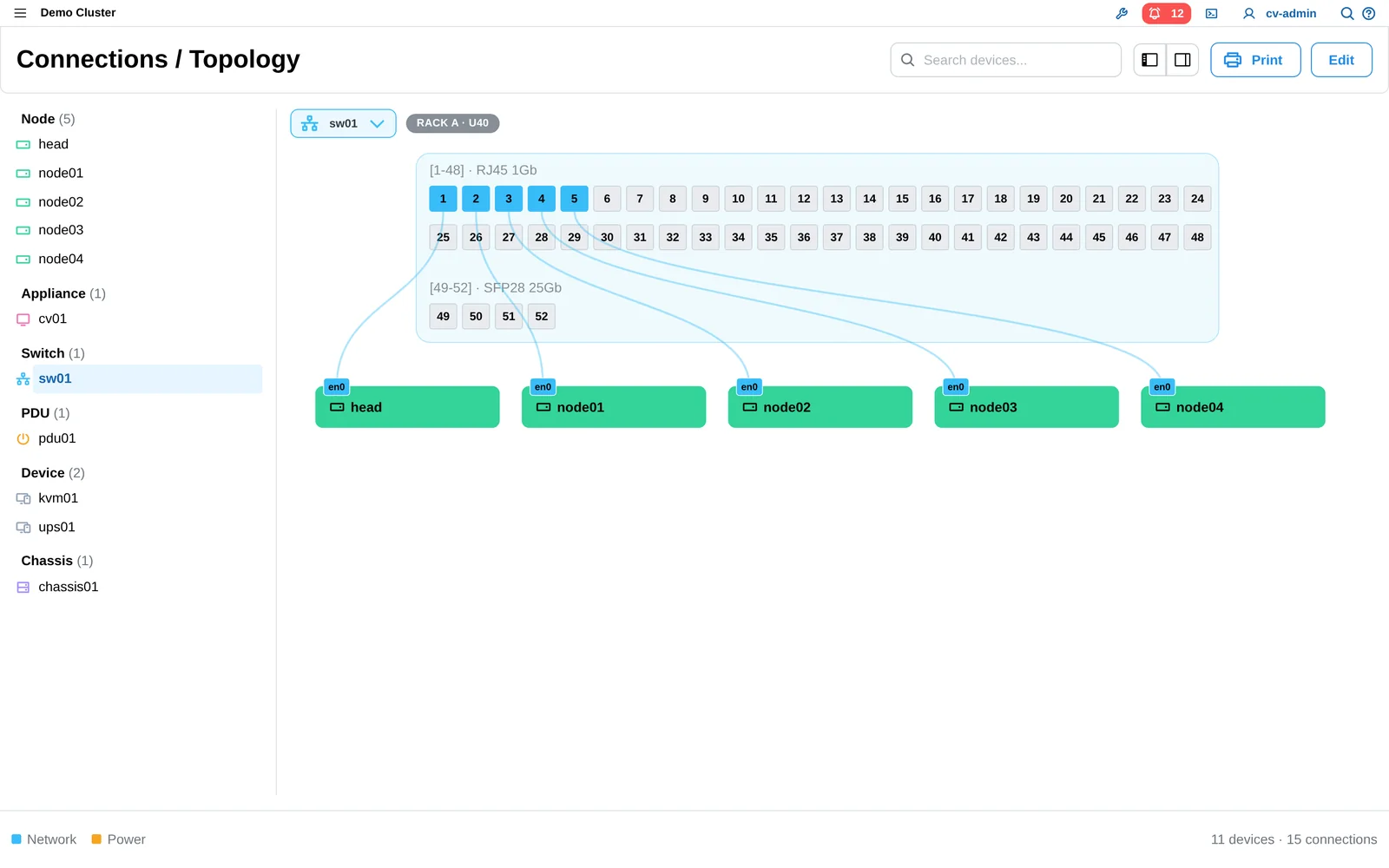
New: see which node is plugged into which switch and PDU port.
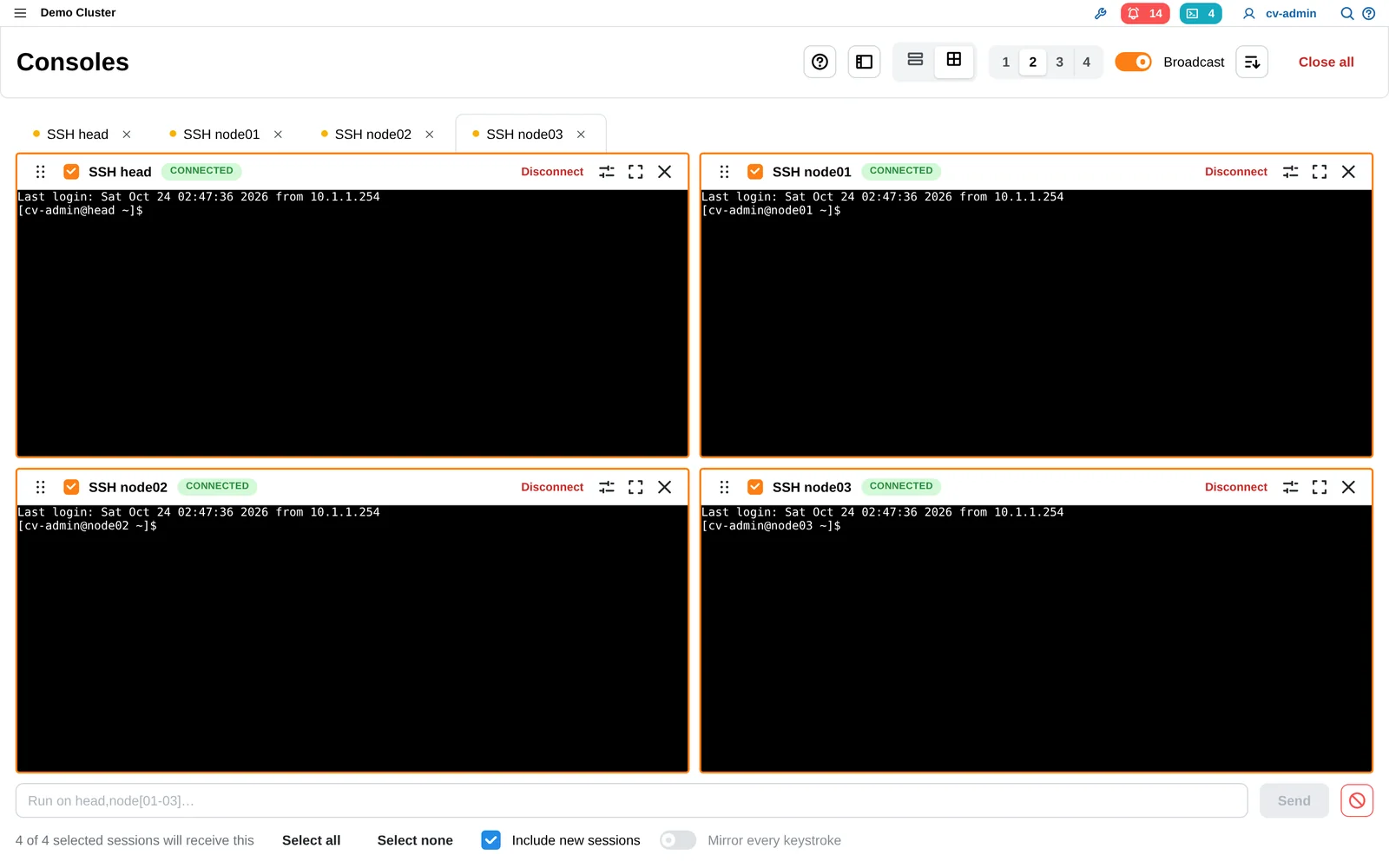
Many consoles at once
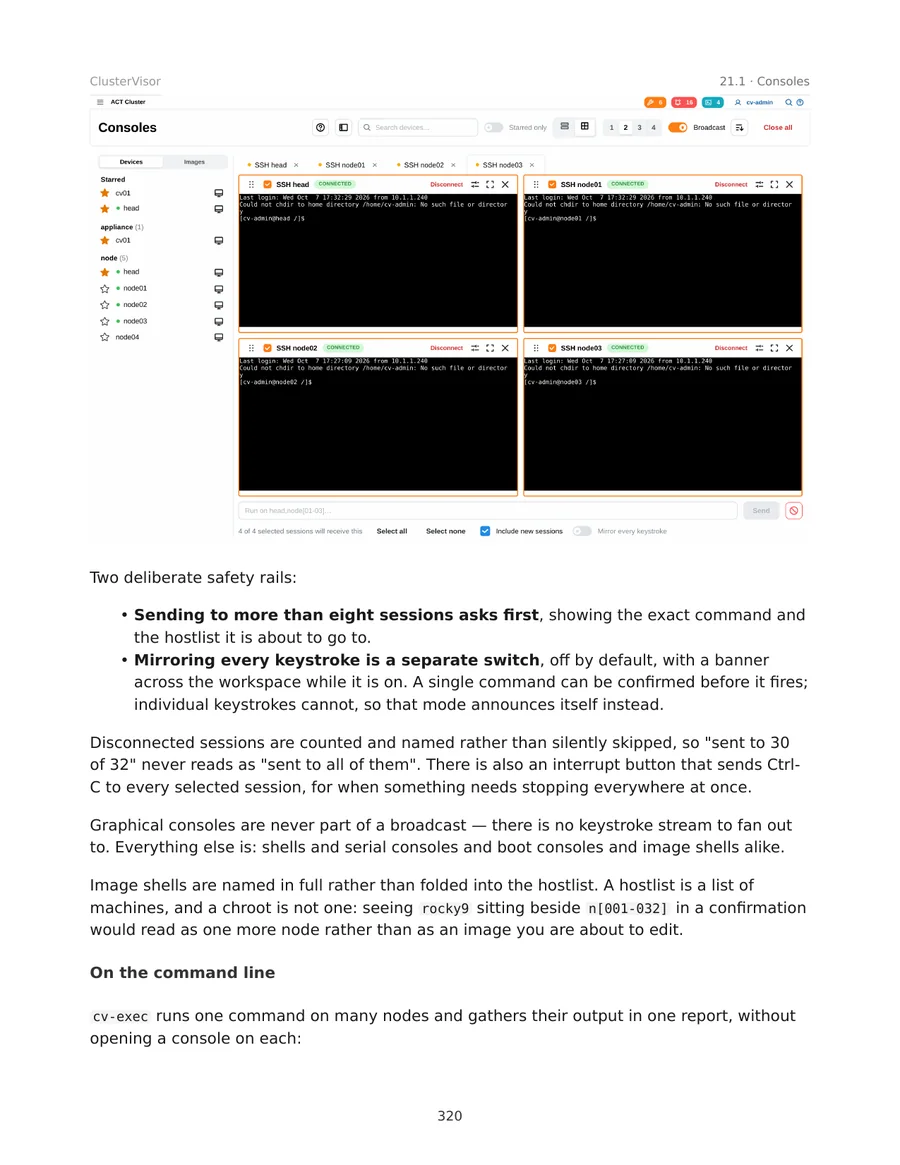
Rebuilt consoles: up to 16 in a grid or tabs, with broadcast to type into many nodes at once, safely.
Alerts that tell the whole story

Rebuilt alerts: a timeline from when it fired to who silenced it to when it cleared, with a snapshot of the node at that moment. 31 ready-made alert rules.
Files, side by side
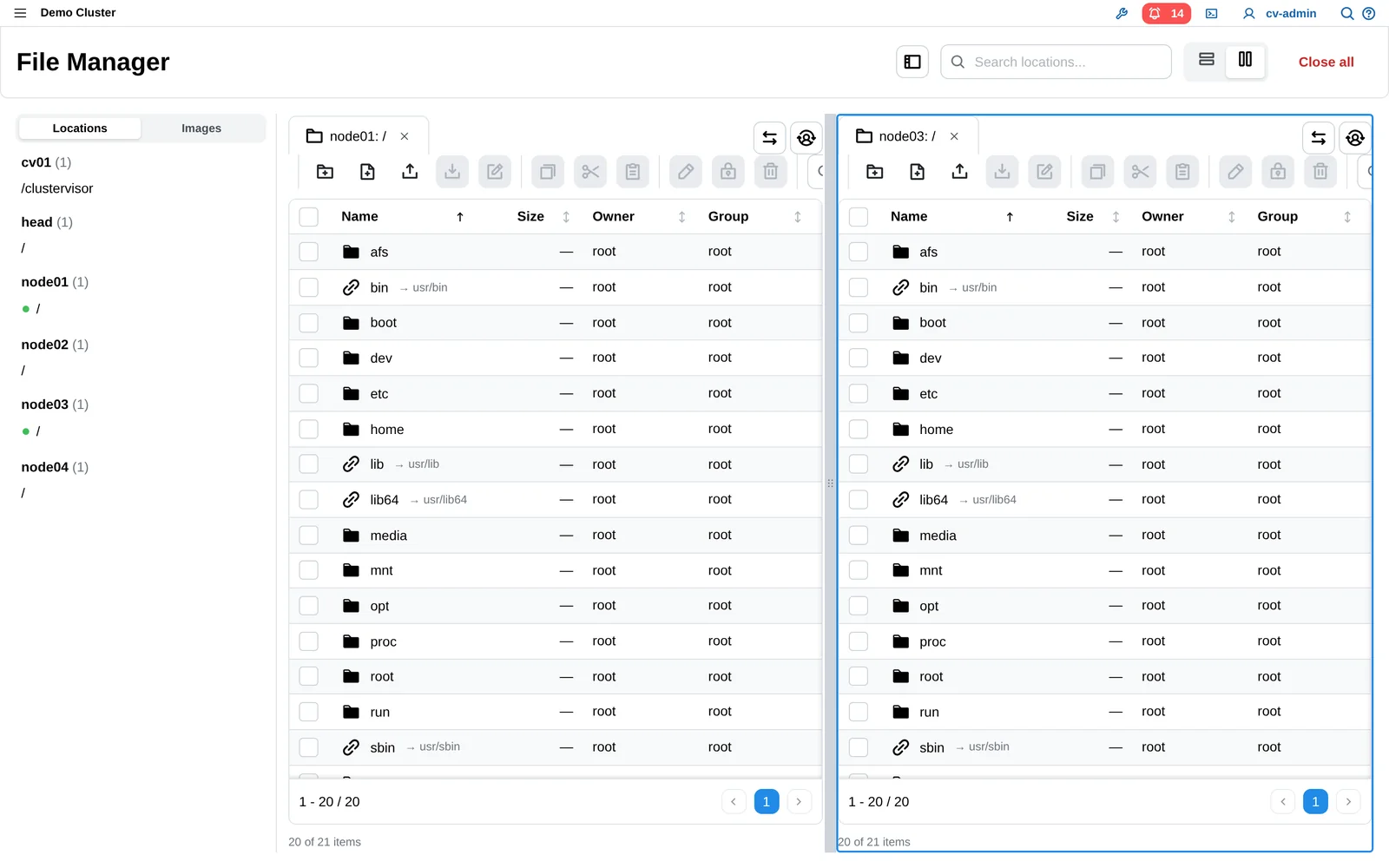
A file manager that browses any two nodes or images side by side and edits files in place.
JobVisor (beta)
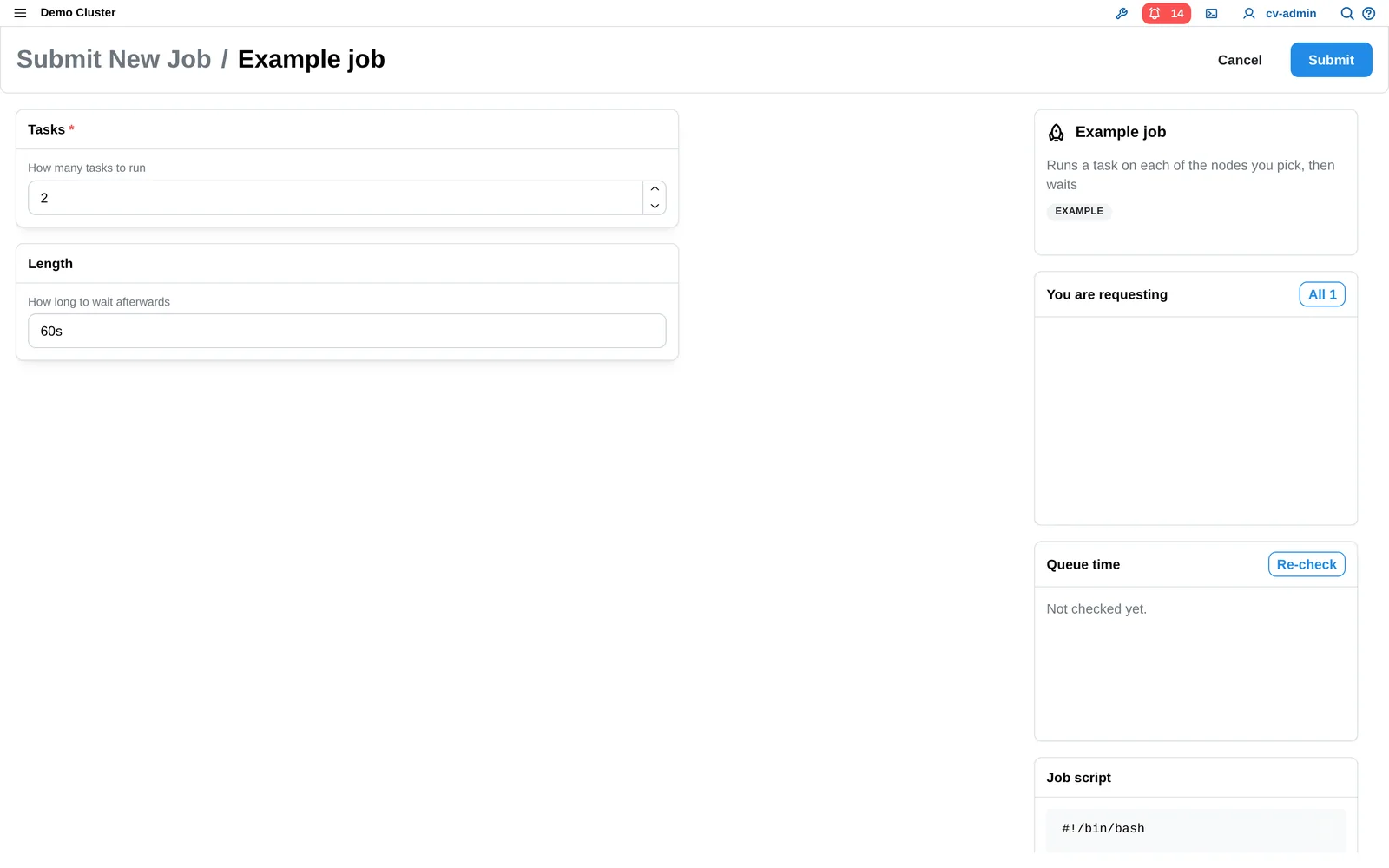
Rebuilt for 3.x: users submit Slurm jobs through a form the administrator designed. Supports cli, X11, and web based apps.
The new Provisioner
Recipes, not hand edits.
Building and updating clusters from tested recipes, so every image and every node is accounted for, and nothing changes until you say so.
Blueprints
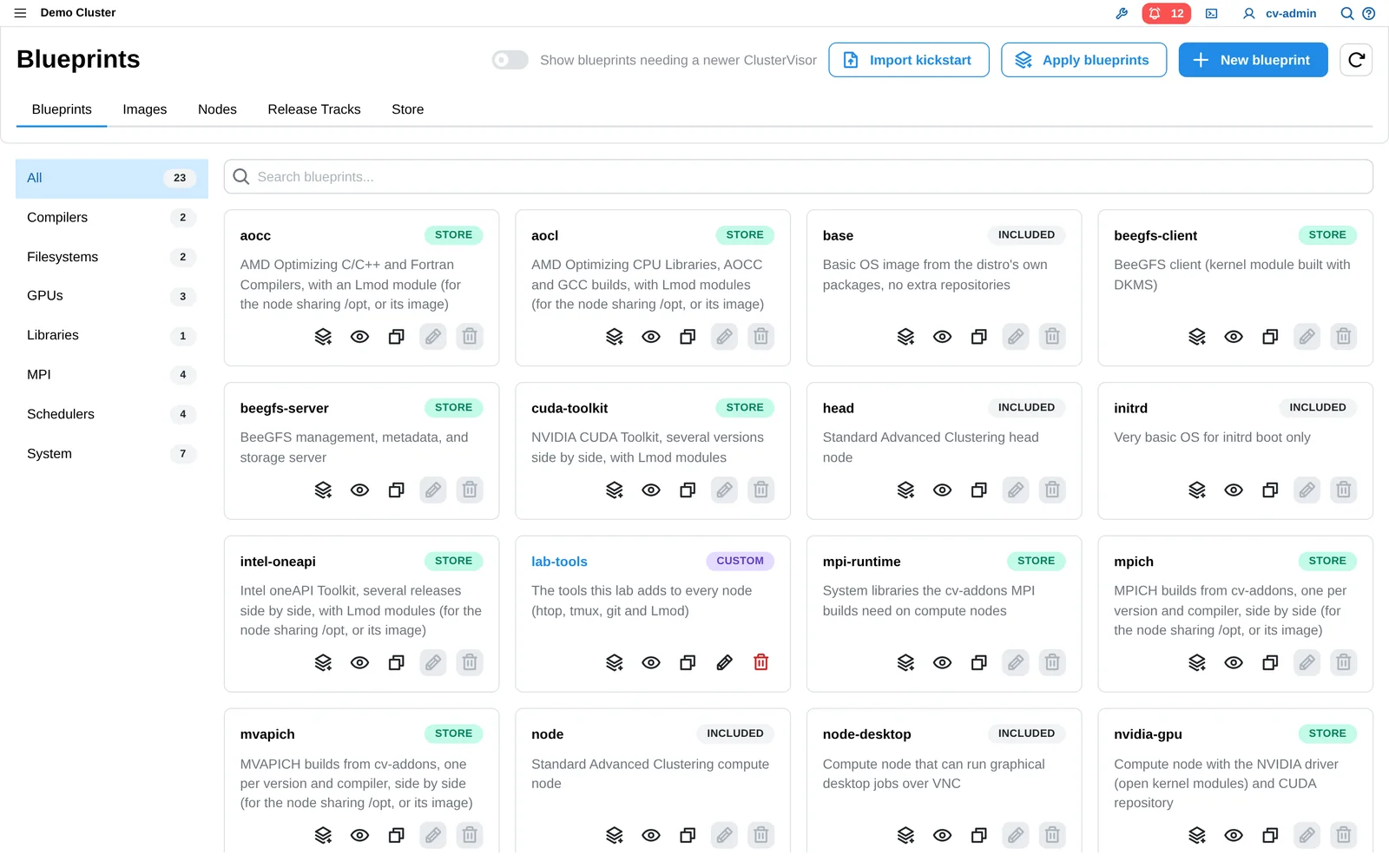
Tested recipes for each piece of software: Slurm, GPU drivers, storage, compilers. Every image and node records what it's installed and which version.
Branch, check, promote
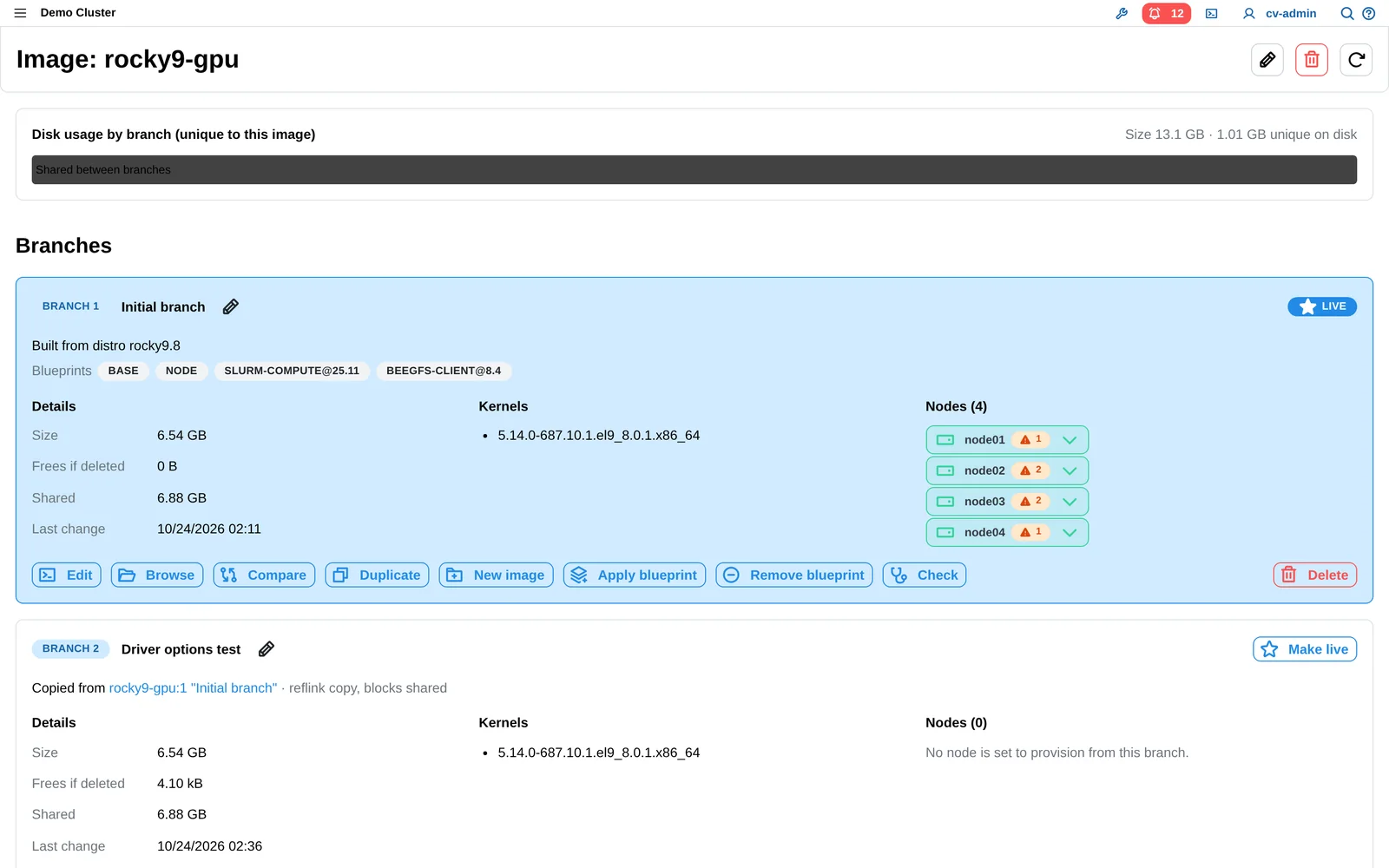
Make changes in a copy of the system image, have ClusterVisor check it, try it on one or two nodes, then roll it out.
Know what every node runs
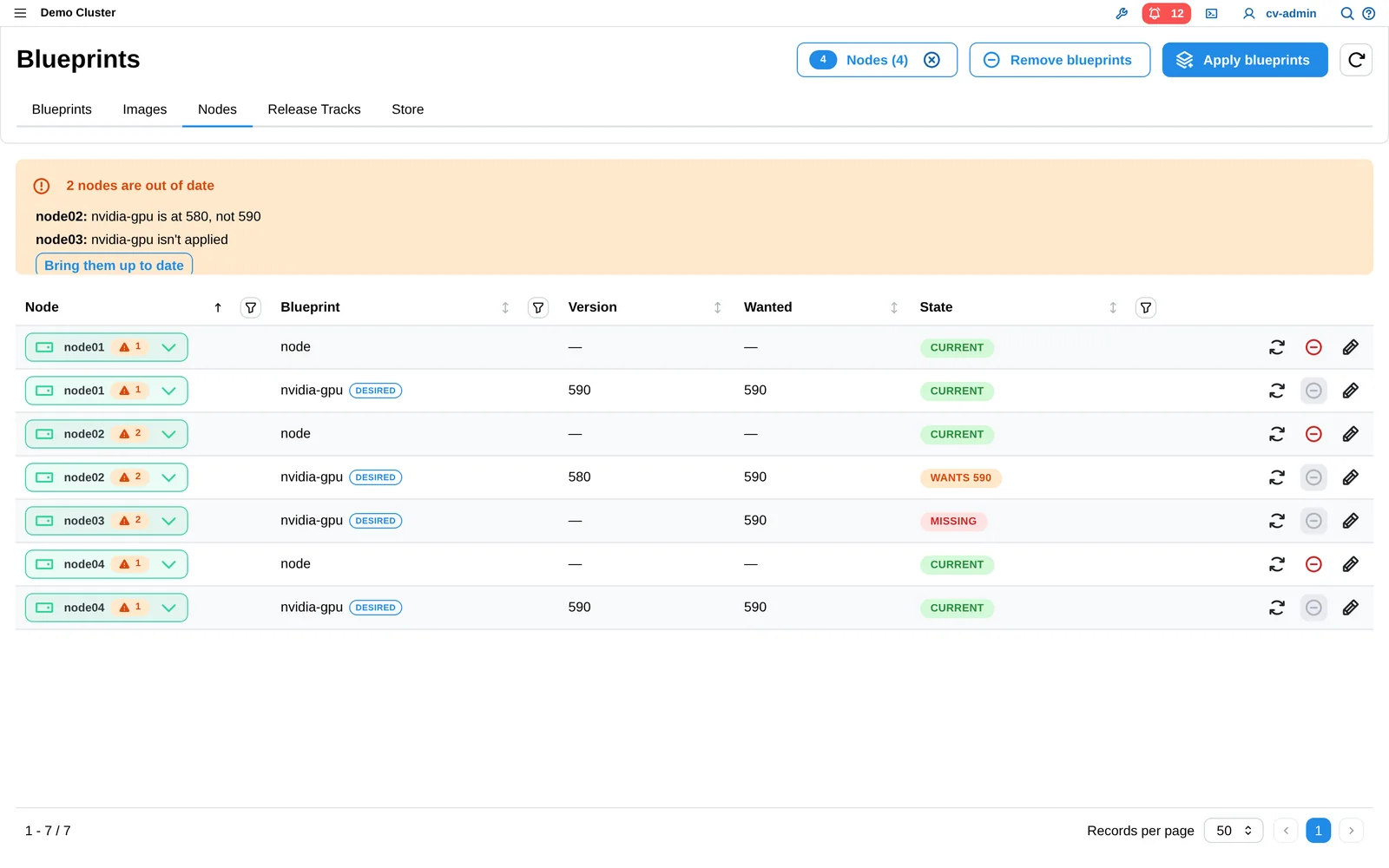
See which nodes run which version, and update running nodes without a reboot, waiting for jobs to finish first.
Slurm and MPI, built and tested by us
Slurm, Open MPI, MPICH and MVAPICH prebuilt, tested and signed by Advanced Clustering. One build works on InfiniBand, Omni-Path or Ethernet, and new releases arrive through the blueprint store without waiting for a ClusterVisor release.
Works without internet
The server keeps one copy of every package the cluster needs, and fully air-gapped sites can carry updates in on a USB drive. Supported on Rocky Linux and AlmaLinux; RHEL needs your own Red Hat Satellite server.
What a node shows as the Provisioner builds it
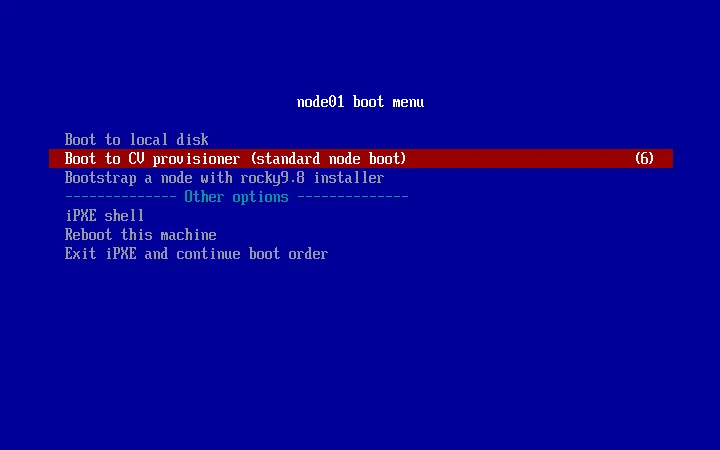
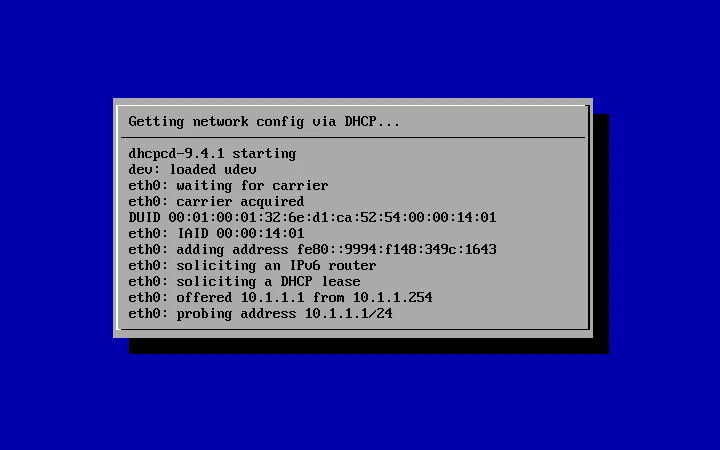
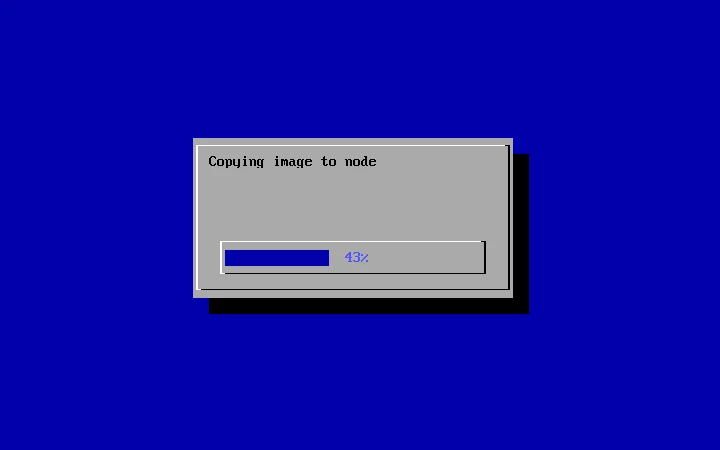
Software stacks
Slurm, BEEGFS and FABRIC: SETUP, MONITORED & MANAGED
Each stack gets a step-by-step setup checklist, then an overview of anything that’s wrong with a link to the fix, plus “How do I…” shortcuts. The same work is available from the command line.
Slurm
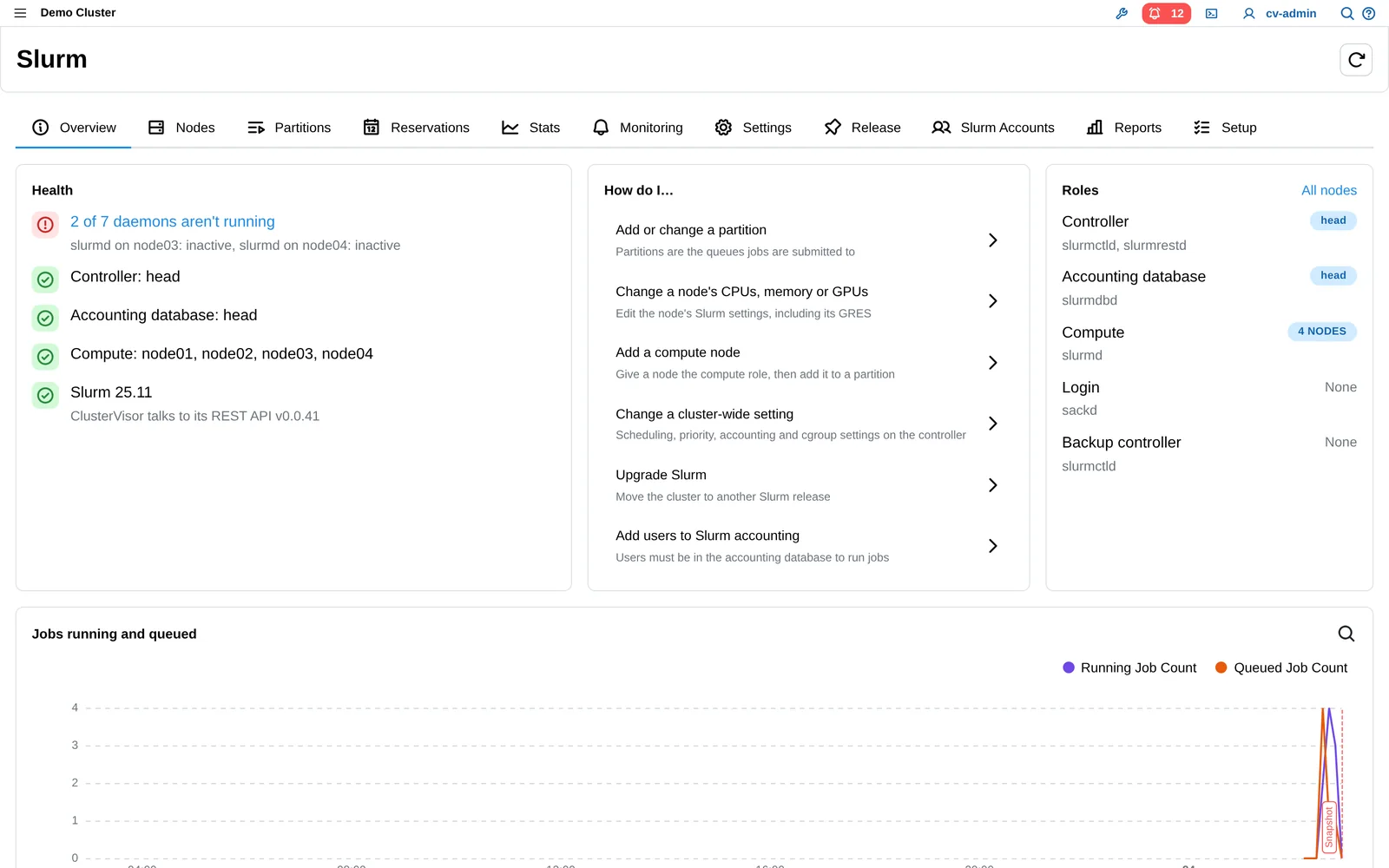
Drain, resume and reboot nodes with the reason recorded. Departments and projects as accounts with shares and limits, usage reports with CSV download, and Slurm upgrades checked step by step.
BeeGFS storage
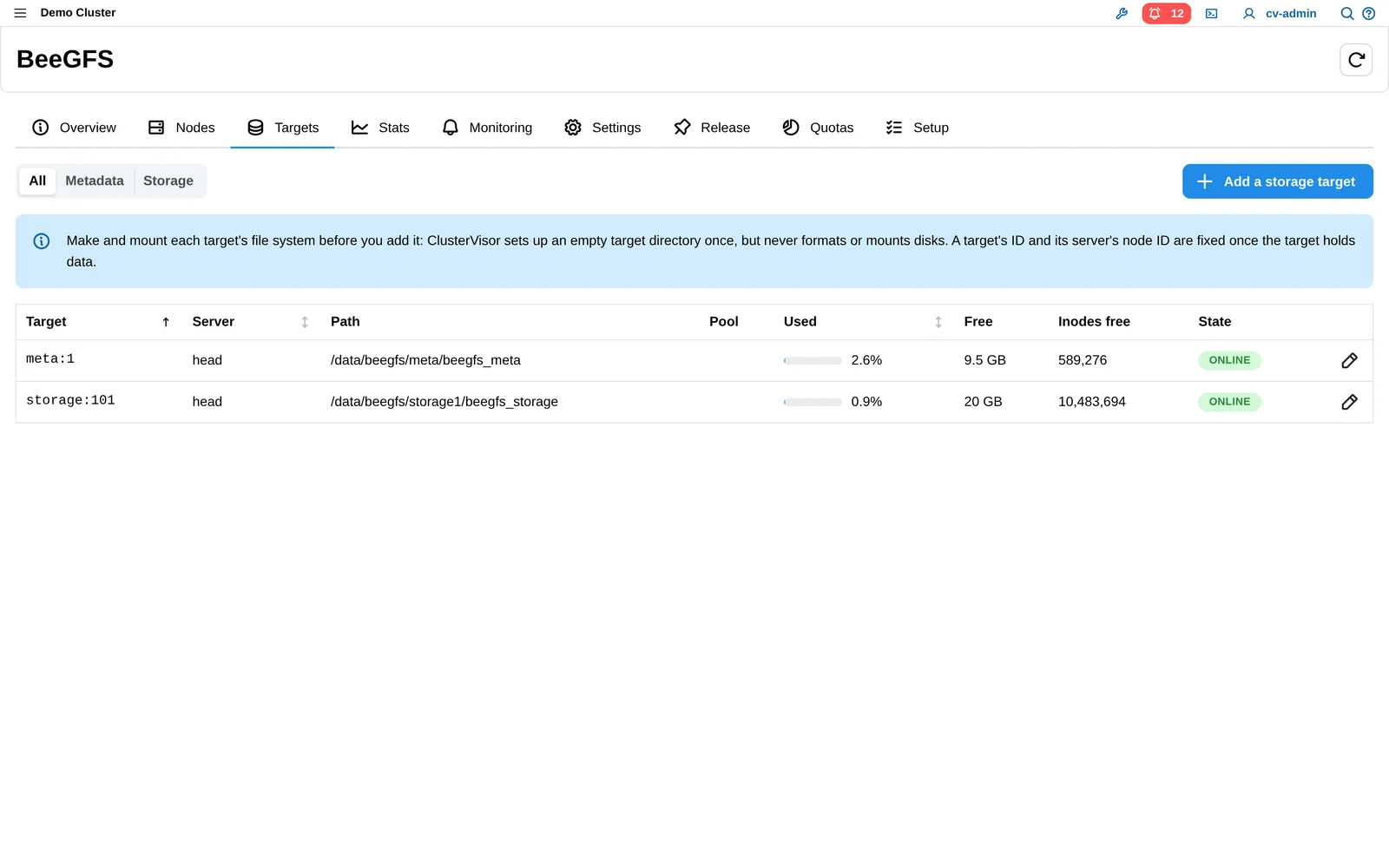
Set up from the disks to the clients, with every target’s fill and status at a glance. Manage quotas with a BeeGFS enterprise license.
FABRIC
InfiniBand and Omni-Path subnet managers installed and watched, every port’s speed and errors, and the real cabling checked against the cluster’s records.
Documentation, built in
Every feature, documented.
An administrator’s manual of more than 800 pages, covering installation, every part of the web interface, the Provisioner, Slurm, storage, the network, monitoring and every command-line tool. Tasks are shown both ways: in the web interface and on the command line.
Help IN The WEB interface
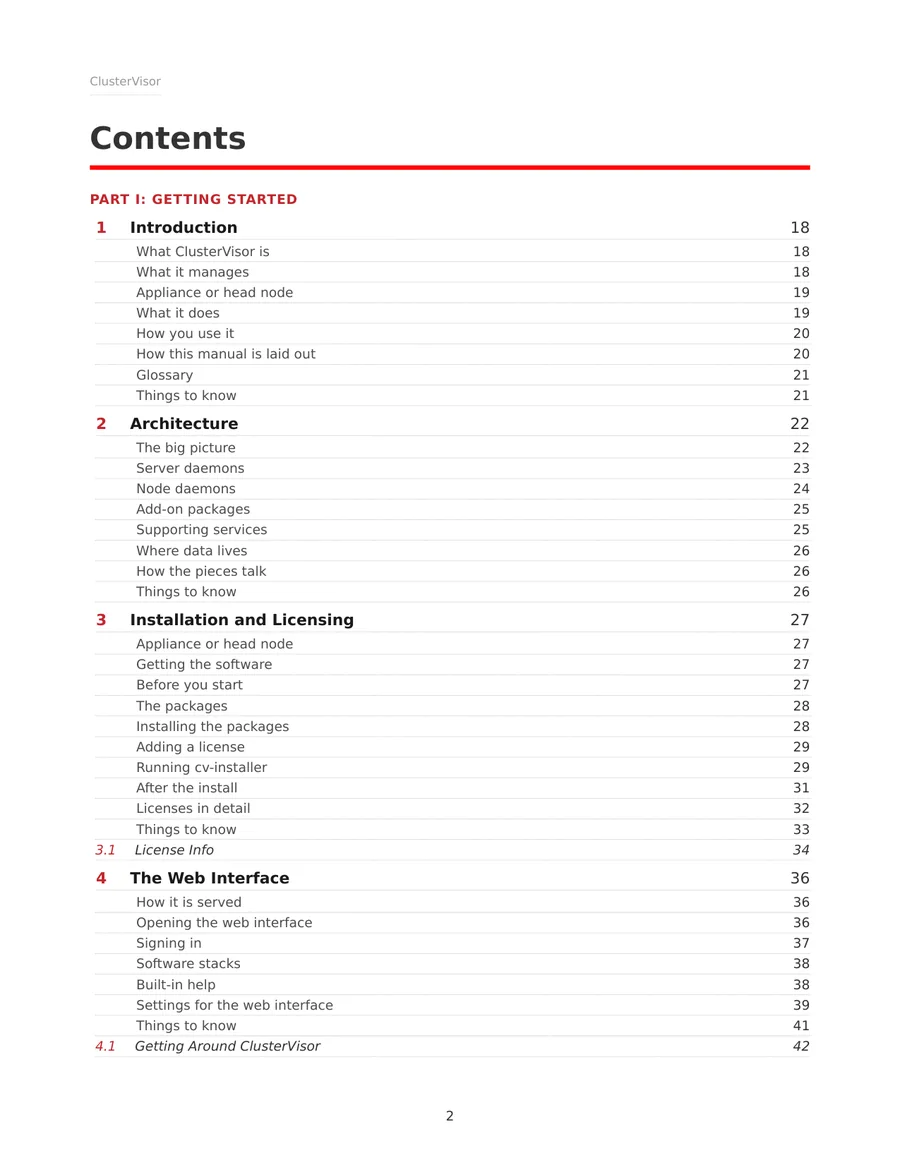
A Docs section holds the whole manual plus a help page for each screen. A help window opens over whatever page you’re on, so you read the steps beside the screen they describe.
Search that includes the docs
Ctrl+K finds manual sections alongside devices, consoles and settings.
Download the whole manual
Save it as a PDF from the web interface, to read offline or print.
Matches your release
The manual is built with ClusterVisor, so the help inside the web interface describes the version you’re running.
Reliability, and what carries over
Tested hardware, and everything you rely on today.
Nine Lives: hardware testing built in
A new version of the old Breakin software. You boots a node into a diagnostics system over the network without touching its disks, and stress-tests CPUs, memory, GPUs and disks. Healthy nodes go back to work; failures raise an alert with the evidence.
LogVisor AI, included
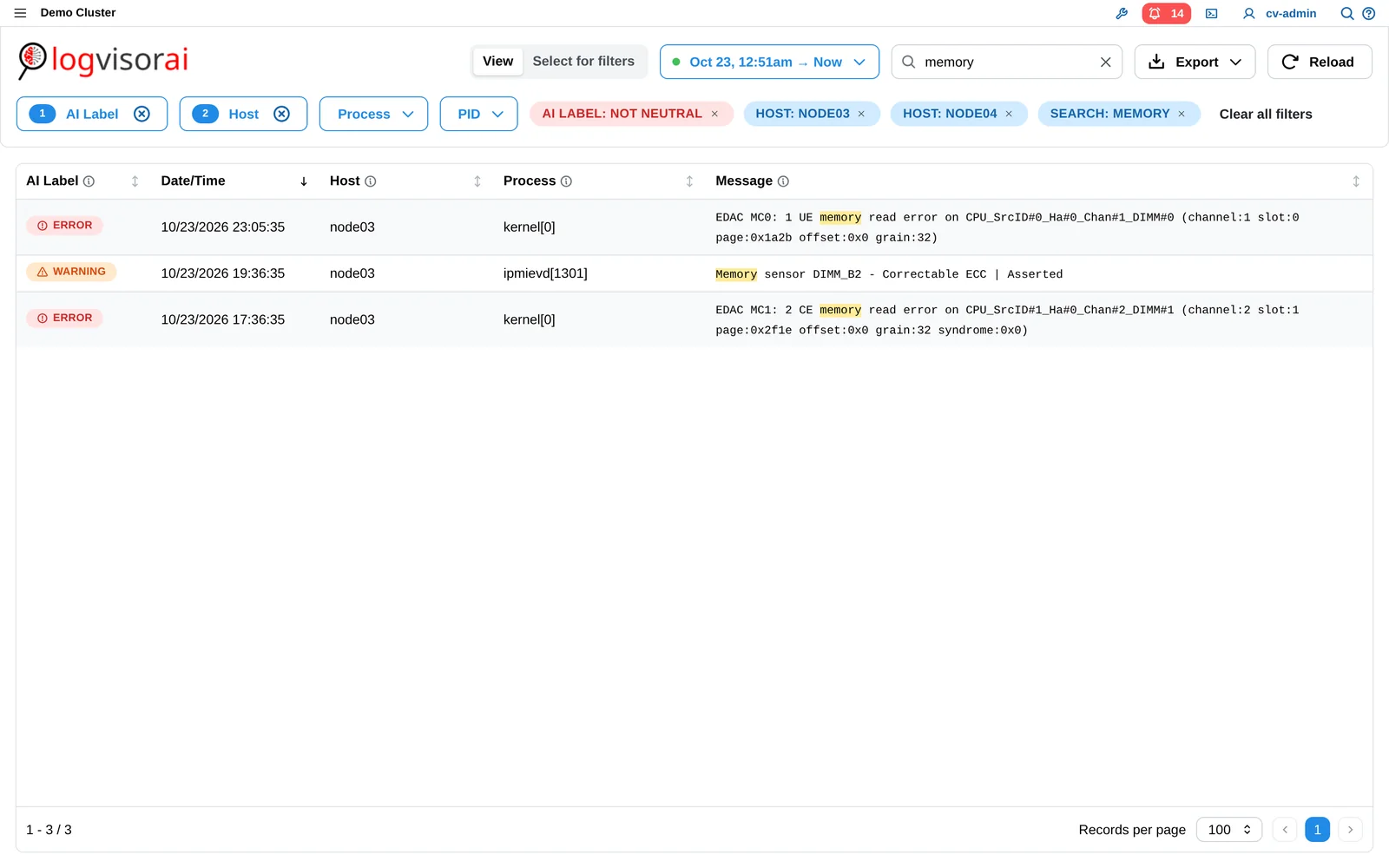
AI log analysis carries over into ClusterVisor 3.x, with log search and severity labels. Licensed separately, as today.
Everything from 2.x, still included
Enhanced Security and Tang (licensed), the audit log and session recording, users and roles, power and hardware control over IPMI and Redfish, and monitoring of switches and PDUs.
FAQ
ClusterVisor 3.x questions, answered.
Have a question that isn’t here? We’re happy to talk it through.
Ask us →When is ClusterVisor 3.x available?
It’s planned for Q1 2027.
Do I have to pay for it?
No, if you have an unexpired ClusterVisor license: ClusterVisor 3.x is included.
Which Linux distributions?
Rocky Linux, AlmaLinux and RHEL 8, 9 and 10.
Does it work without internet?
Yes, on Rocky Linux and AlmaLinux. Air-gapped RHEL needs a Red Hat Satellite server inside your network.
Is it documented?
Yes: an administrator’s manual of more than 800 pages, included with ClusterVisor and built into the web interface, alongside help for every page.
Can I see it before launch?
Yes: sign up for a hands-on demo at SC26, or request a demo and we’ll show you online.
How do I hear more before launch?
Sign up on this page, or join COG, the ClusterVisor Operator Group.
SC26 · Booth 4523 · November 16–19 · Chicago
See ClusterVisor 3.x live at SC26.
Sit down with our engineers for a hands-on demo on a real cluster.
Sign upNot going to SC26?
Request a demo and we’ll show you ClusterVisor 3.x online. Current customers can join COG, the ClusterVisor Operator Group, to hear news first.
Request a demo →Join COG →
Engineering the future of HPC and AI
info@advancedclustering.com(866) 802-82223148 Roanoke Road, Kansas City, MO 64111